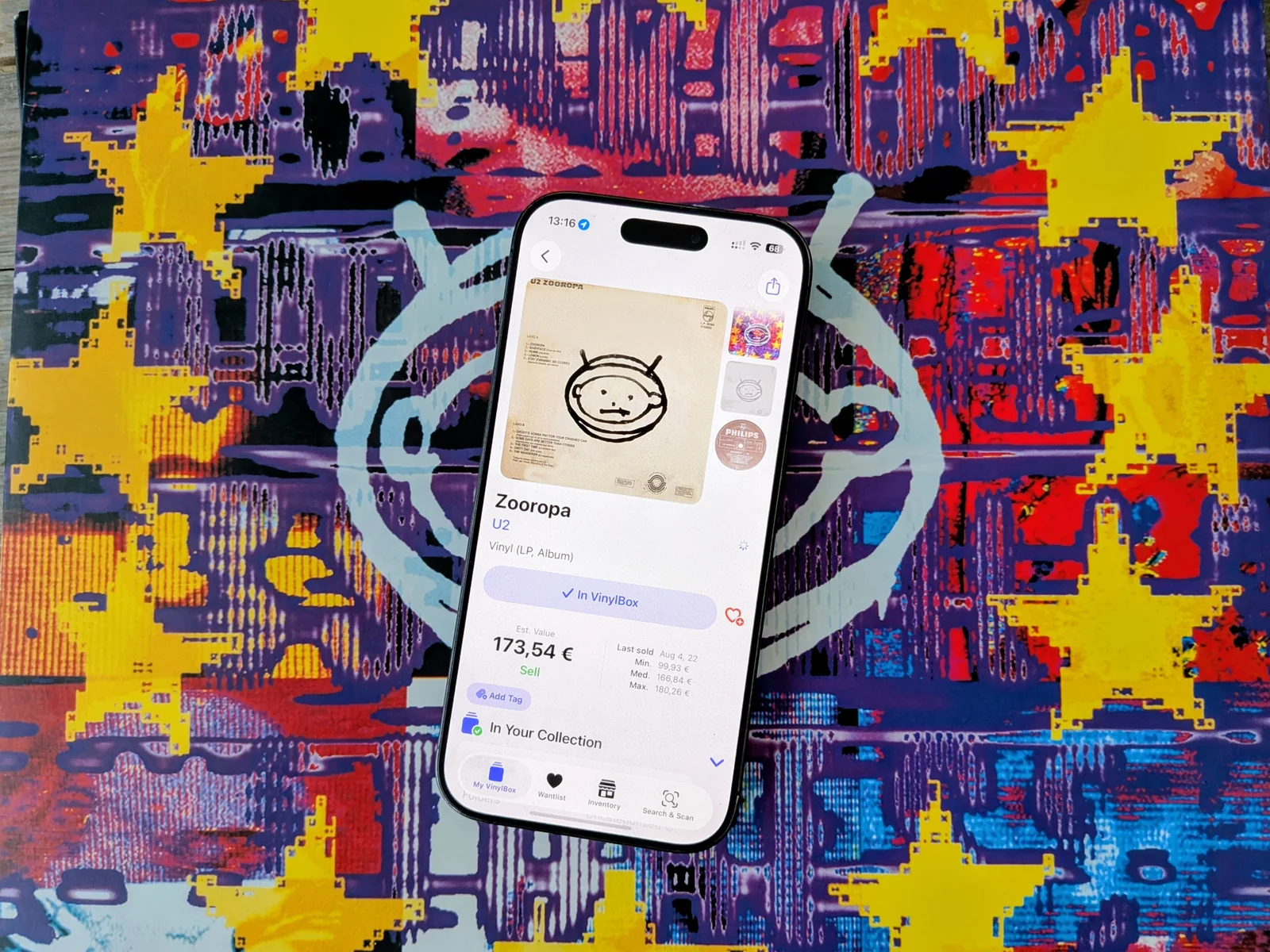
VinylBox review: plenty of order, at a price
VinylBox is at its best when your Discogs collection needs some housekeeping. It gives folders, tags and unfinished catalogue entries proper attention, in a bright, modern interface that makes the work feel less like filling in a database. If you regularly organise or sell records, there is plenty here to use.
It is still your Discogs catalogue underneath. VinylBox adds ways to navigate and manage it, rather than a new source of knowledge about the music. That makes the subscription a fairly practical decision: will these tools save you enough effort to keep paying for them?
Folders that do some of the filing
Ordinary folders sit alongside smart folders, which collect records according to filters you set. Choose an artist, genre or format and the folder updates as the collection changes. Tags give you another way to group records without making the folder structure carry every distinction. If your collection mixes vinyl and CDs, media filters are particularly welcome. *1
Collection Maintenance is a thoughtful addition. It points out copies with no sleeve or media condition entered, and records left uncategorised. Those are easy omissions to overlook when adding purchases in batches. Bringing them together gives you somewhere to start tidying, instead of opening entries one by one to find the gaps.
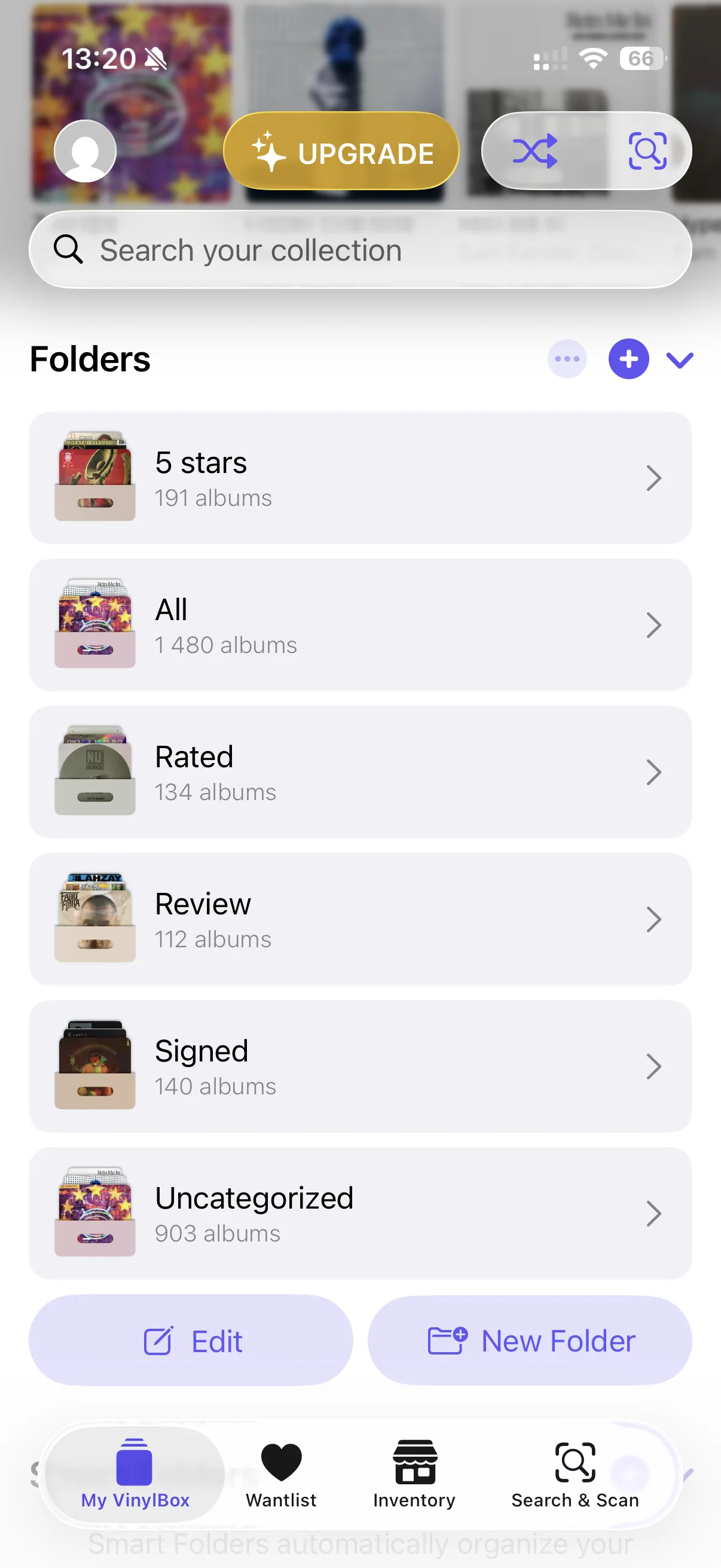
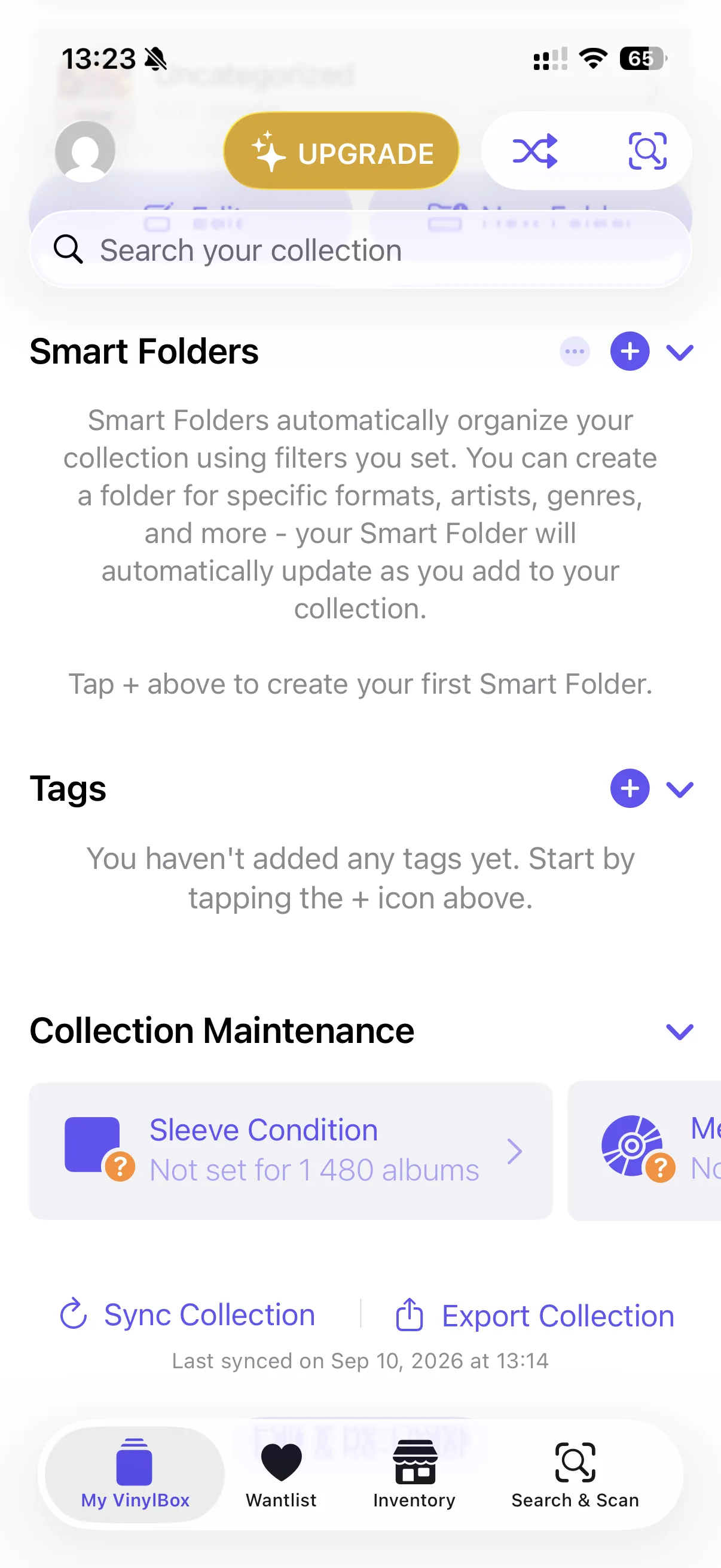
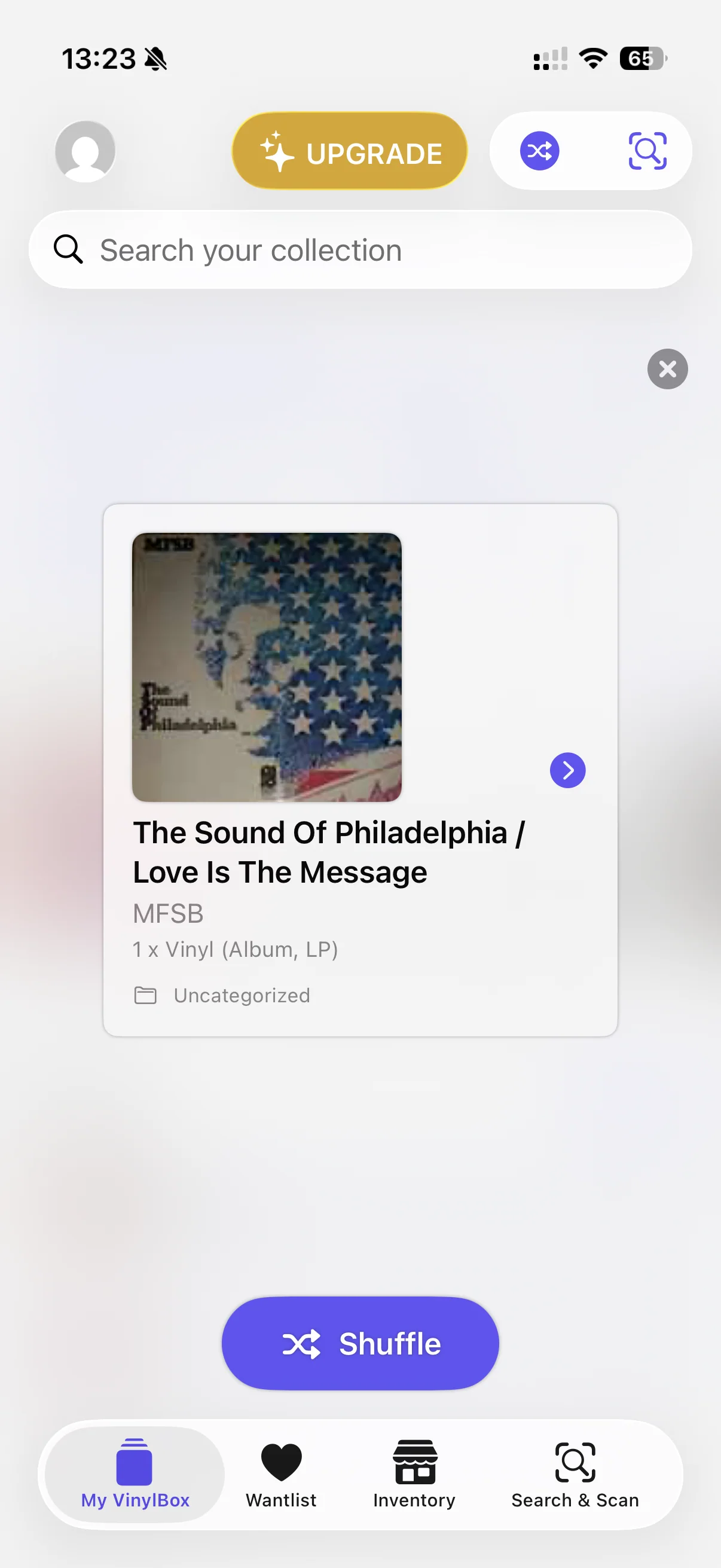
Inside a folder, search, sorting and filters sit above the records. The wantlist has its own tab, while a shuffle control picks something from the collection when browsing has become indecision. None of this needs much explanation once you see it. The useful part is having the controls close to the records they affect.
Your collection, counted
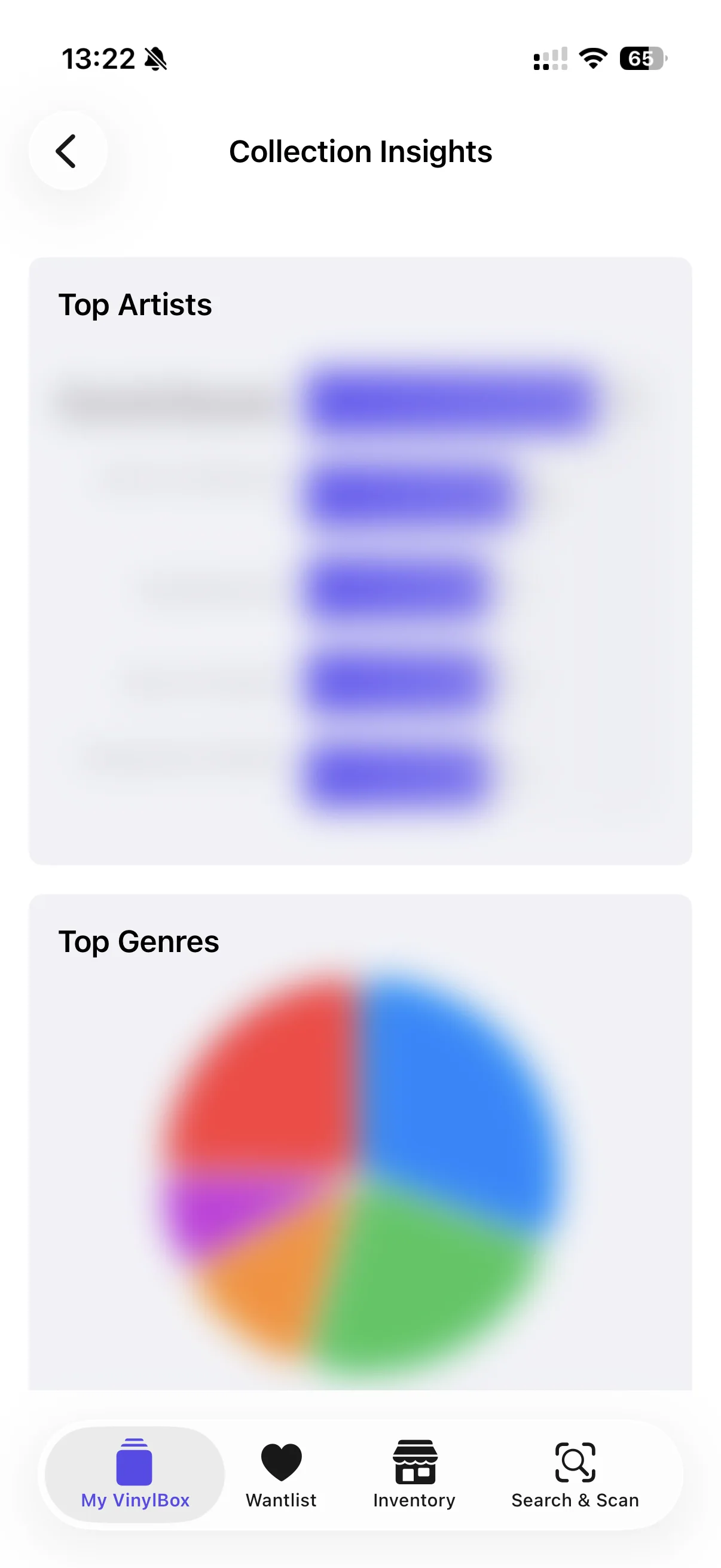
Pro adds Collection Insights: top artists, genres, formats and styles, plus collection growth. It can put numbers to habits you already recognise. Seeing exactly how much of your shelf is electronic music is mildly interesting; having that information gathered automatically is convenient.
The attraction wears thinner if you expect musical discovery. These are summaries of what you have entered, rather than stories about the records or recommendations that explain where to go next. The free view blurs the charts, so it offers a glimpse of the feature rather than much information to use. *2
Finding the album is only the start
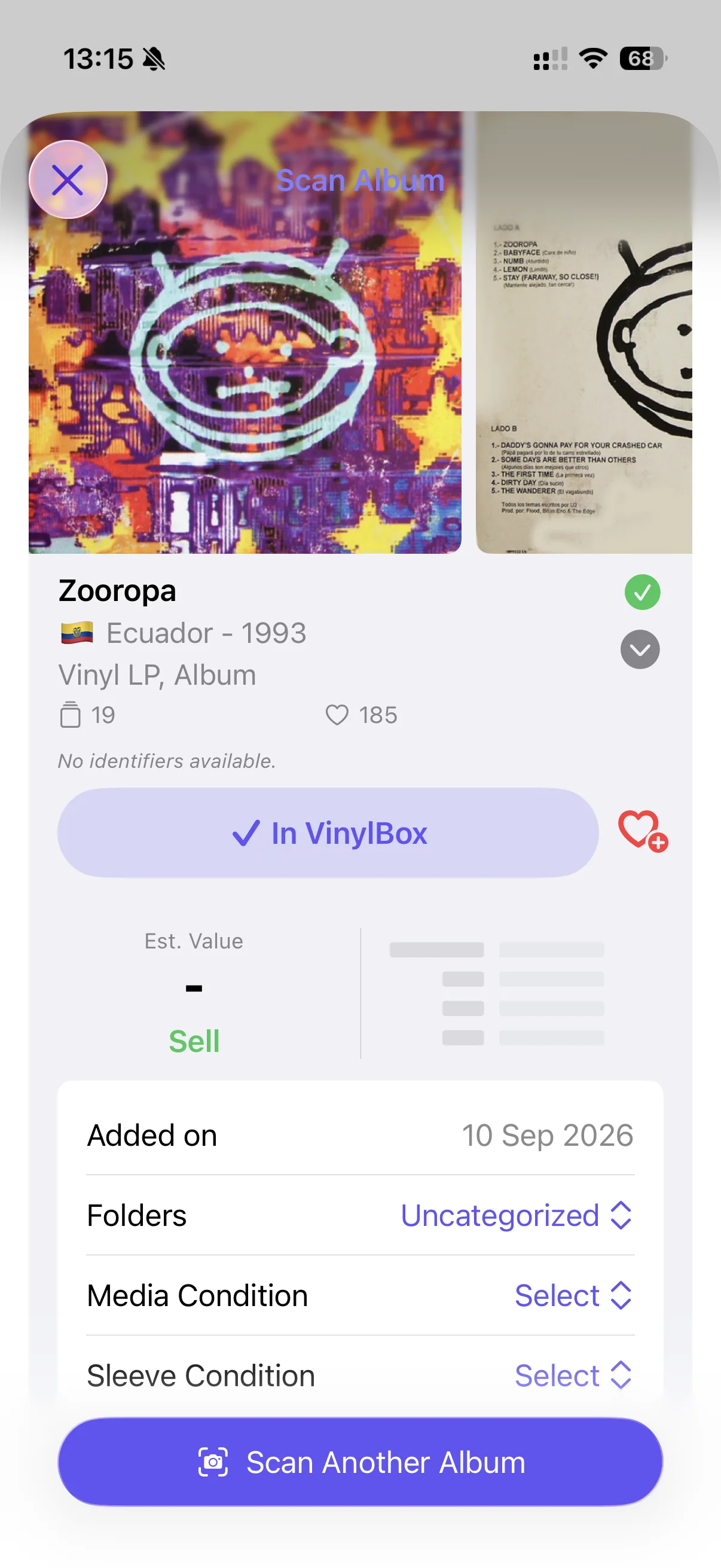
The cover scanner recognised U2's Zooropa, then presented a list of editions. A Canadian cassette appeared alongside an Ecuadorian LP. That is a successful album match, but it leaves a vinyl collector with quite a bit of work before adding the right copy.
There are tools to narrow the results: a search field for catalogue number, format or label, and filters for format, country, year and label. Calling the scanner helpless would be unfair. It gets you to the relevant catalogue and lets you reduce the list. What it did not do in our test was guide us through the physical differences that would settle the pressing. *3
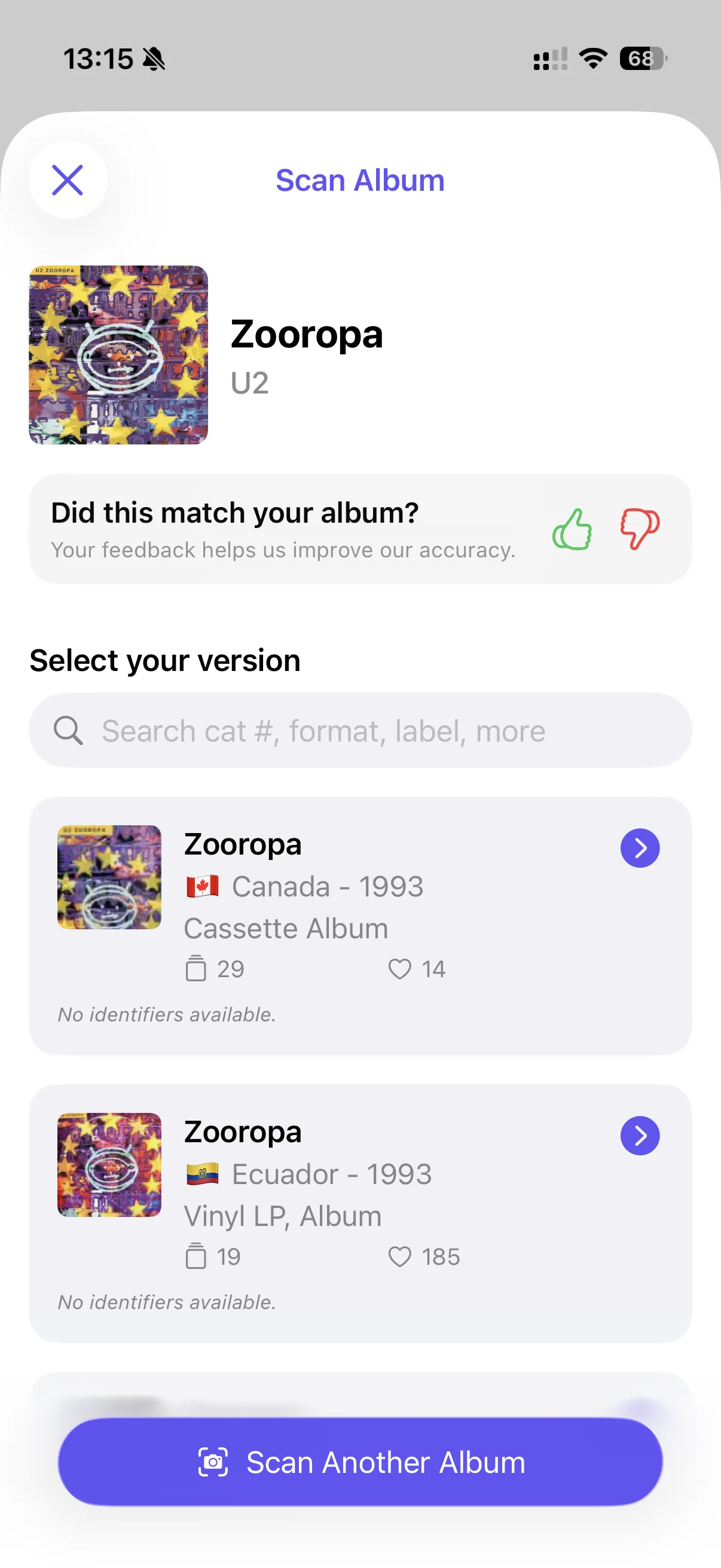
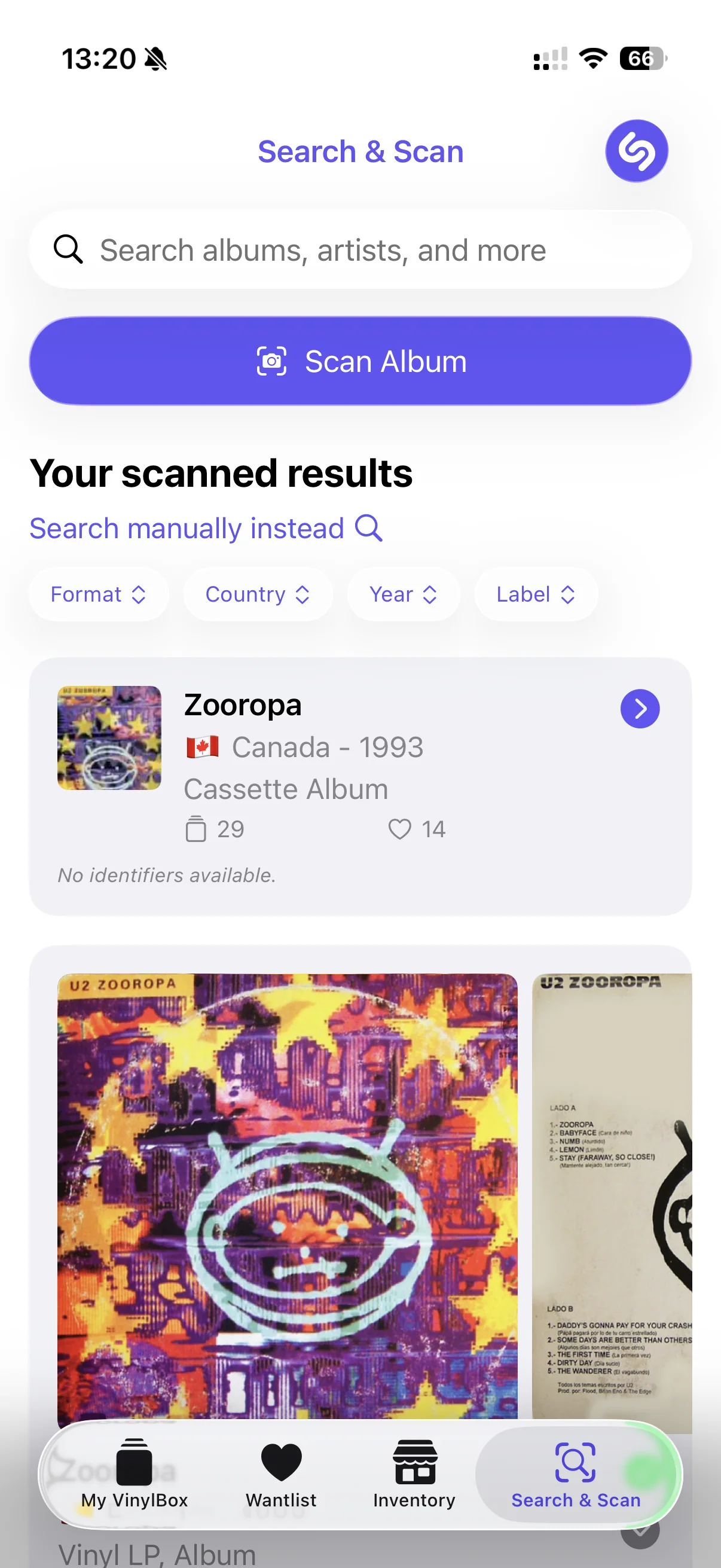
You still need to compare the sleeve, label and runout with the candidate release. Some results show no identifiers, which makes that harder. A long list of editions is useful raw material for someone who knows what to check; it is less reassuring for someone expecting a photograph to identify their exact record. Our pressing-identification guide walks through those checks.
Artist pages bring the whole catalogue
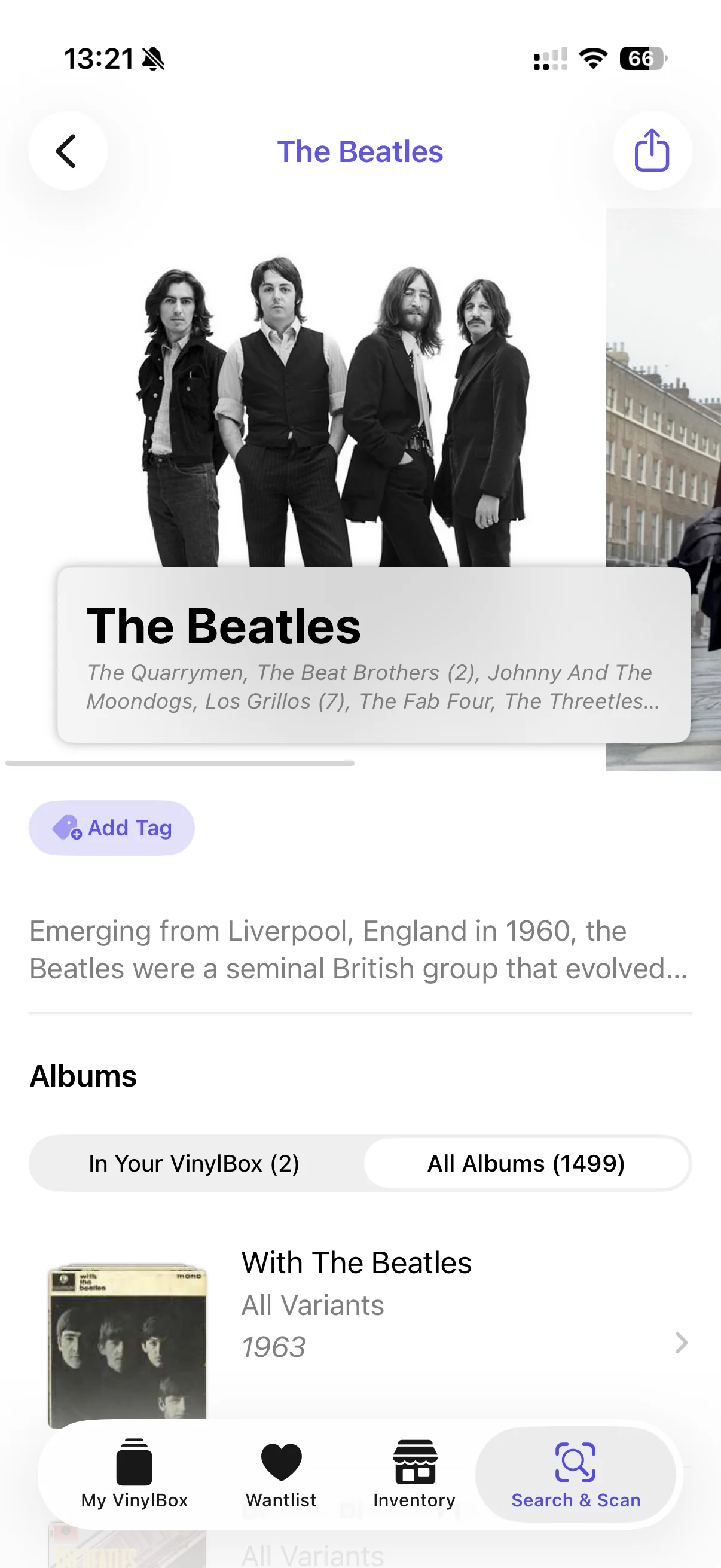
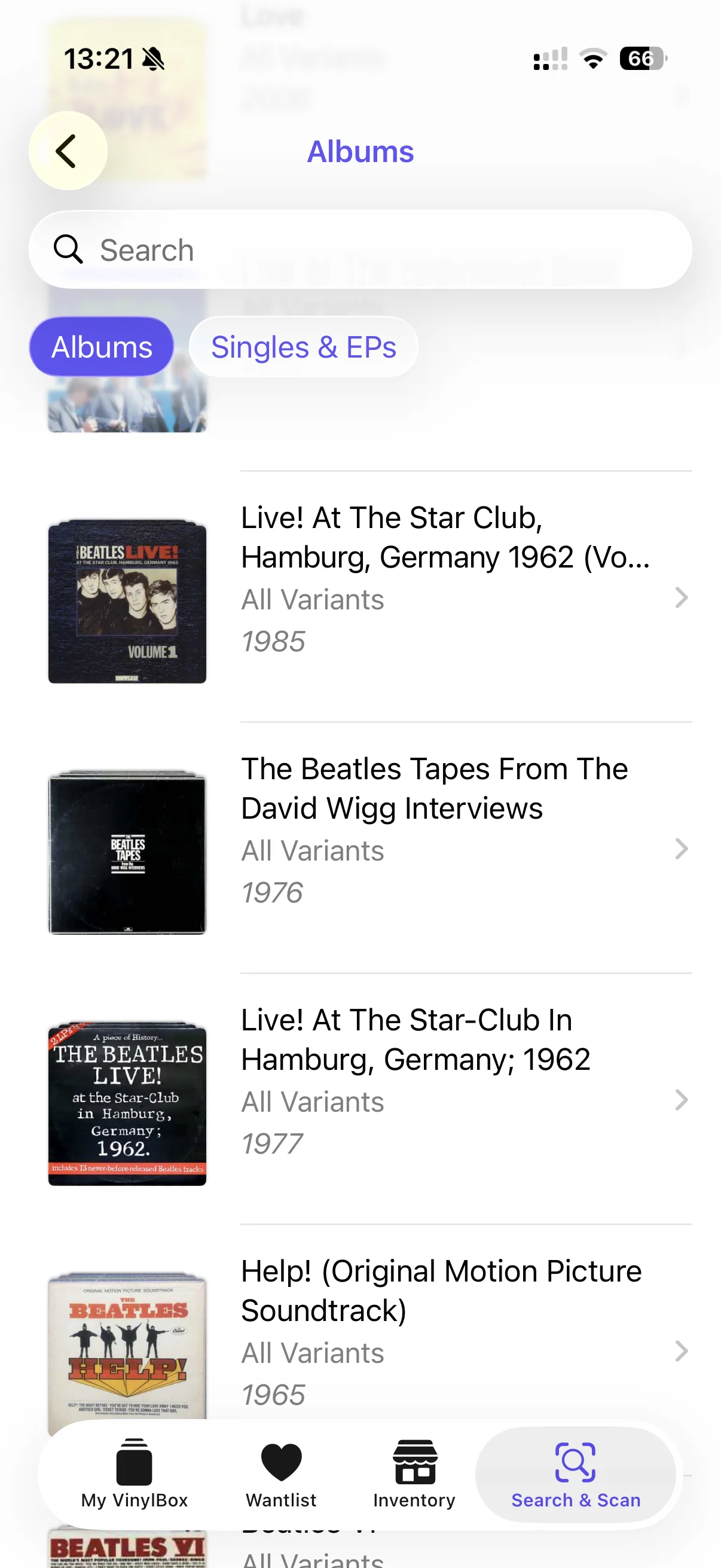
The Beatles artist page shows “All Albums (1499)”. Open the album list and it includes live recordings, interview collections and soundtrack editions. Search and an Albums / Singles & EPs switch help with navigation, but this remains a broad catalogue rather than a clear path through the band's studio albums. *4
That breadth is useful when you are looking for an obscure release. It is cumbersome when you simply want to browse the main albums in order. VinylBox gives the database a cleaner presentation, but it does not do much editorial sorting for you.
More interested in selling than listening
Release pages give estimated value and selling controls prominent space. The Inventory tab provides a route into managing Discogs listings. For someone regularly moving records on, keeping that work beside the collection makes sense. The condition fields and maintenance tools become more useful here too: a catalogue entry needs to describe the copy you are actually selling. *5
A suggested sale price still depends on selecting the correct release and grading the record properly. It should not make those decisions for you. Our Discogs value guide explains how completed sales and condition affect the number.
Playback was not apparent during our browsing. VinylBox does advertise Apple Music integration, however, so this is a discoverability complaint rather than a claim that playback does not exist. The experience we encountered put cataloguing and selling first. There was no comparable editorial feed of new releases, album stories or best-selling records to keep browsing once the catalogue work was done. *6
A modern interface, with a little hesitation
The Liquid Glass styling suits VinylBox: translucent controls, rounded panels and purple accents give it a current iPhone feel. Folders use miniature crates of artwork, and the main navigation keeps collection, wantlist, inventory and search within reach.
There were no crashes during our test. Loading and displaying the full 1,480-item collection did produce some visual glitches and hesitation. It remained usable, but the larger catalogue did not always move as smoothly as the polished screens suggest. *7
Treat the free plan as a look around
The upgrade prompts became tiresome quickly. With important features gated and a conspicuous upgrade button following the collection view, the free plan felt more like a chance to inspect the interface than a comfortable way to maintain a collection. The paid product has a coherent purpose; the free experience spends too much time reminding you of it.
The purchase screen offers three recurring plans: *8
| Plan | Price in USD | Cost over a year* |
|---|---|---|
| Annual | $20.90/year | $20.90 |
| Monthly | $3.09/month | $37.08 |
| Weekly | $1.69/week | $87.88 |
Monthly total uses 12 payments; weekly total uses 52. These are comparisons at the displayed rate, not separate annual offers.
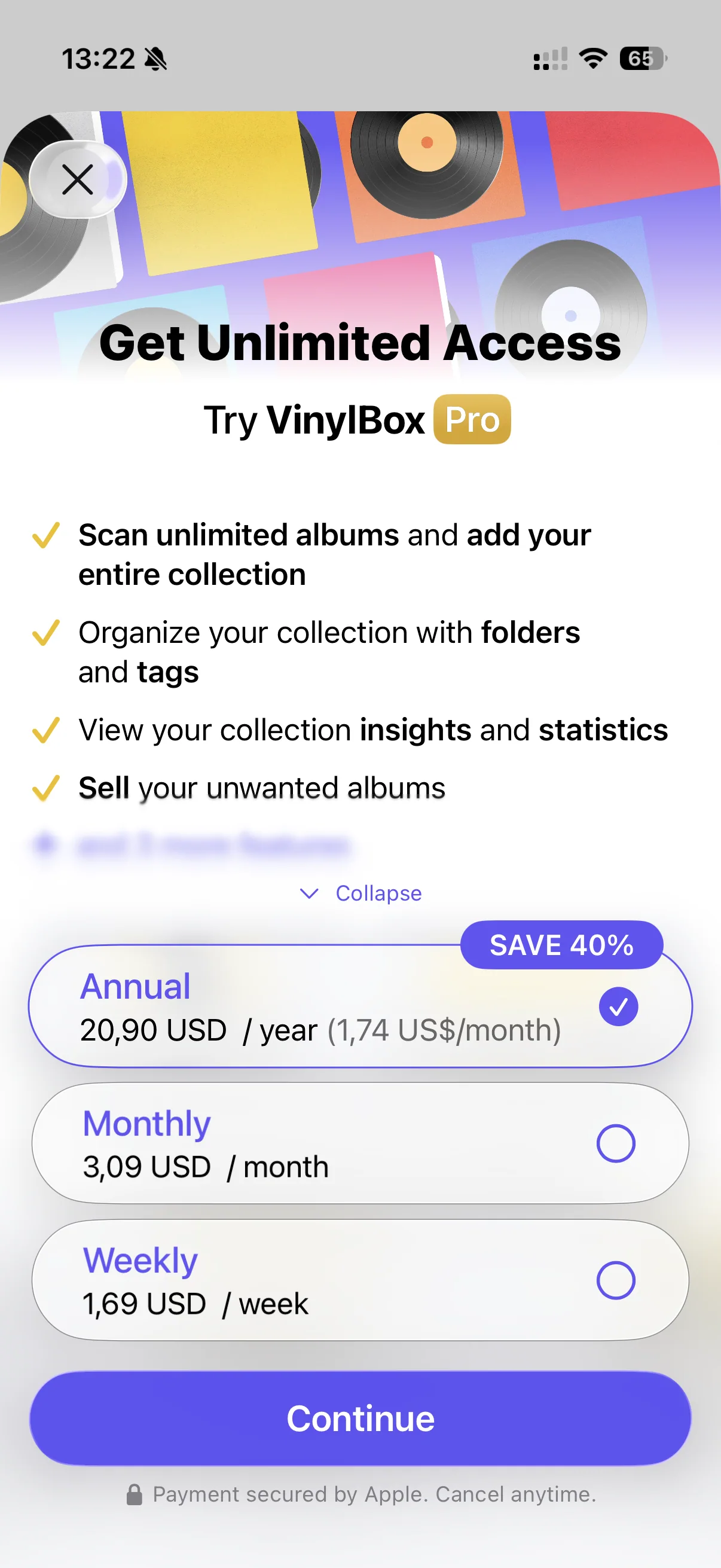
The weekly option is particularly hard to justify for a catalogue you intend to keep. Fifty-two payments cost more than four times the annual plan. Annual billing makes more sense for regular use, but it is still a recurring charge for managing information you already hold in Discogs. Smart folders, maintenance and selling need to earn their place in your routine.
What customers think
The App Store snapshot gives VinylBox 4.70/5 across 4,337 ratings in six storefronts, weighted by rating count. *9
| Storefront | Average / 5 | Ratings |
|---|---|---|
| US | 4.72 | 2,799 |
| UK | 4.69 | 623 |
| Canada | 4.69 | 287 |
| Australia | 4.61 | 127 |
| Germany | 4.65 | 320 |
| Netherlands | 4.70 | 181 |
Older customer feedback praises the layout and random selection, while mixed and negative reviews raise selling-workflow and upgrade-prompt frustrations. Those concerns fit the app's central trade-off: plenty of collection tools, with a paid plan needed to make comfortable use of them. *10
Our overall rating
A capable, attractive way to manage a Discogs collection, especially if you use smart folders or sell records regularly. The subscription buys better organisation; pressing identification and music discovery remain limited.
Smart folders, tags, maintenance checks and seller tools make collection management easier. Cover scans narrow the search, but leave you to establish the pressing.
Modern Liquid Glass styling, clear collection controls and attractive folder views. The persistent upgrade treatment makes the free interface less pleasant.
No crashes during our test. Loading the full 1,480-item collection caused some visual glitches and hesitation.
The annual plan is the most sensible recurring option. Monthly and especially weekly billing add up, while the free plan feels too restricted for regular use.
Sources and notes
- Collection folders and smart-folder criteria: folders and smart folders and maintenance, 10 September 2026. ↩
- Free Insights view and Pro feature list. Growth, format and style summaries are included in the editor’s observations. ↩
- Initial scan results and filter controls, 10 September 2026. ↩
- Beatles artist page and album list. The heading is All Albums, not a count of original studio albums. ↩
- VinylBox listing: Discogs synchronisation and Marketplace listing management. Release controls. ↩
- Apple Music integration and miniplayer: version 3.8 release notes, 24 April 2026; listing checked 10 September 2026. Playback was not found during the editor’s browsing. ↩
- Editor’s test on 10 September 2026: no crashes, with visual glitches while loading the full collection. Collection count: 1,480. ↩
- In-app USD offers, 10 September 2026: $20.90 annually, $3.09 monthly and $1.69 weekly. Subscription totals assume the displayed rate continues. ↩
- All-version Apple ratings snapshot, 9 September 2026. Six-store count-weighted mean, not a worldwide rating: US, UK, Canada, Australia, Germany, Netherlands. ↩
- Canadian five-star review, 27 February 2024, version 2.7.6. UK reviews: three stars, 12 April 2026, version 3.7 (selling); two stars, 30 June 2025, version 3.1.0 (upgrade prompts). Historical reports; the free-plan judgement above also reflects the editor’s September 2026 experience. ↩