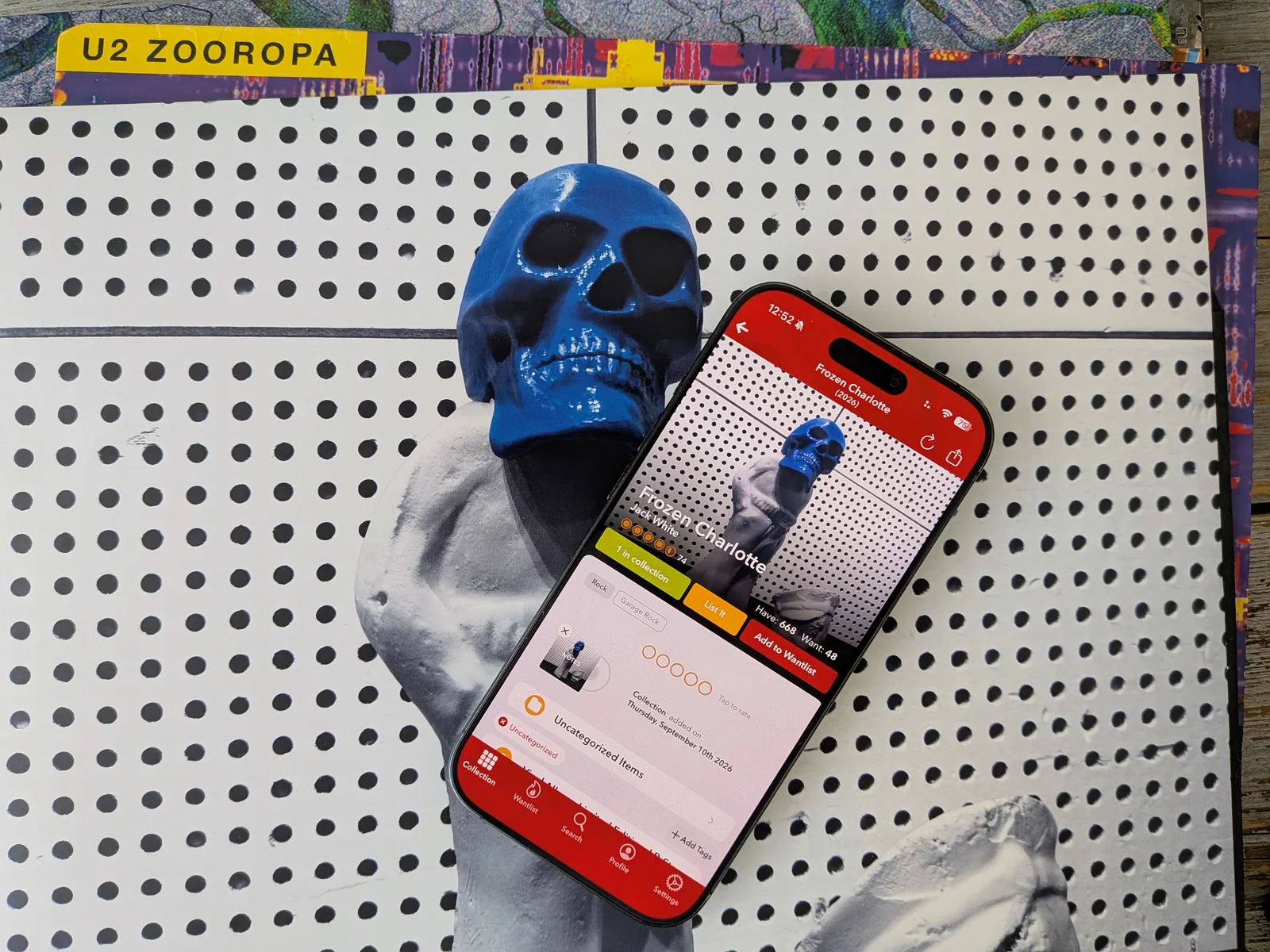
Discographic review: a collection worth keeping in order
A record catalogue gets more useful as it gets more personal. The release entry tells you what the record is. Your notes can tell you why you kept this copy, what came with it, or which side needs replacing. How you sort those entries matters too, especially once browsing the whole collection stops being a quick job.
Discographic gives that work plenty of attention. This Discogs companion for iPhone and iPad combines collection management with folders, notes, sorting, offline access and exports. Its appeal is the control it offers over a catalogue you're going to keep using. The main decisions are how much organisation you need, which paid features cover it, and whether its listening connections fit your setup.
A simple start, with an interruption
You need a Discogs account to begin. Connect it, and Discographic brings your existing collection into the app. There is little onboarding to work through before the catalogue starts loading.
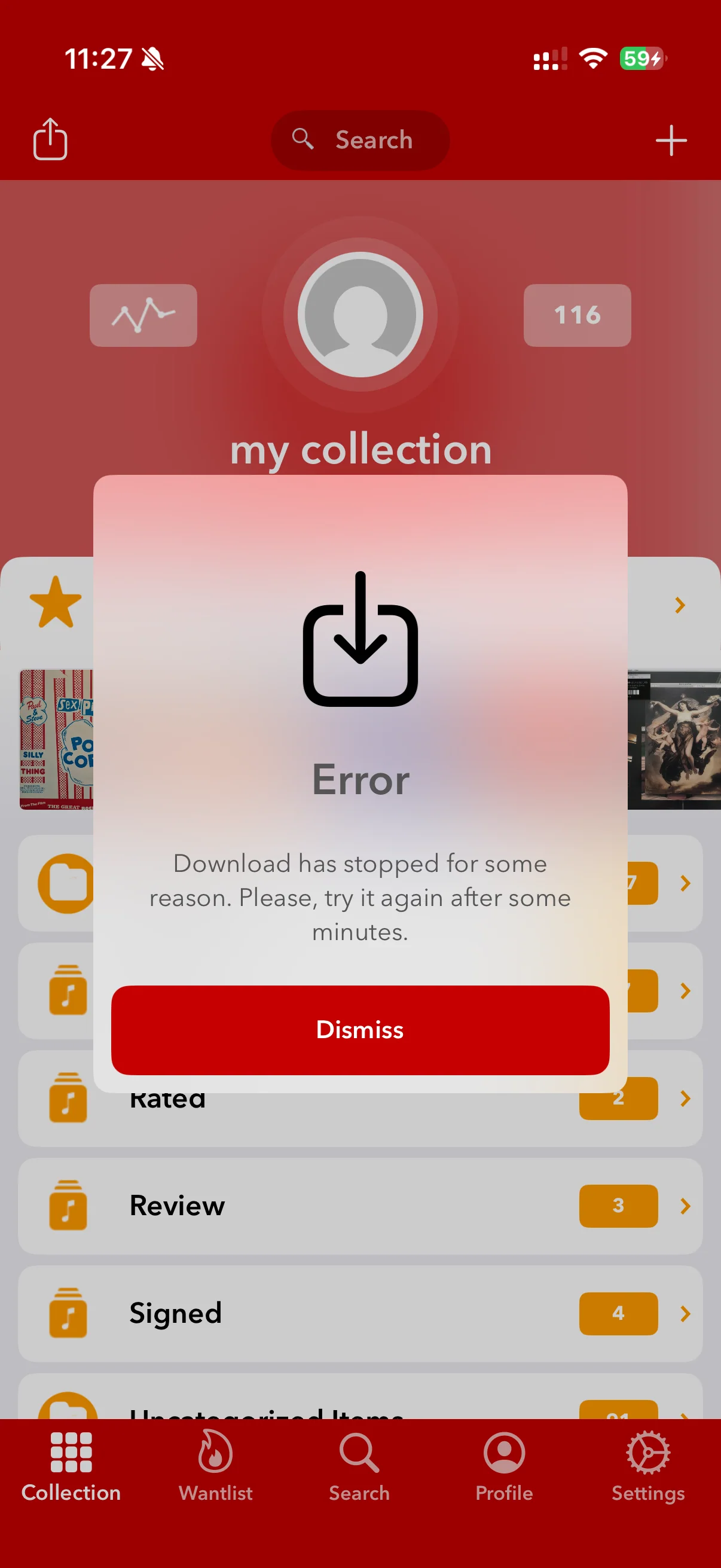
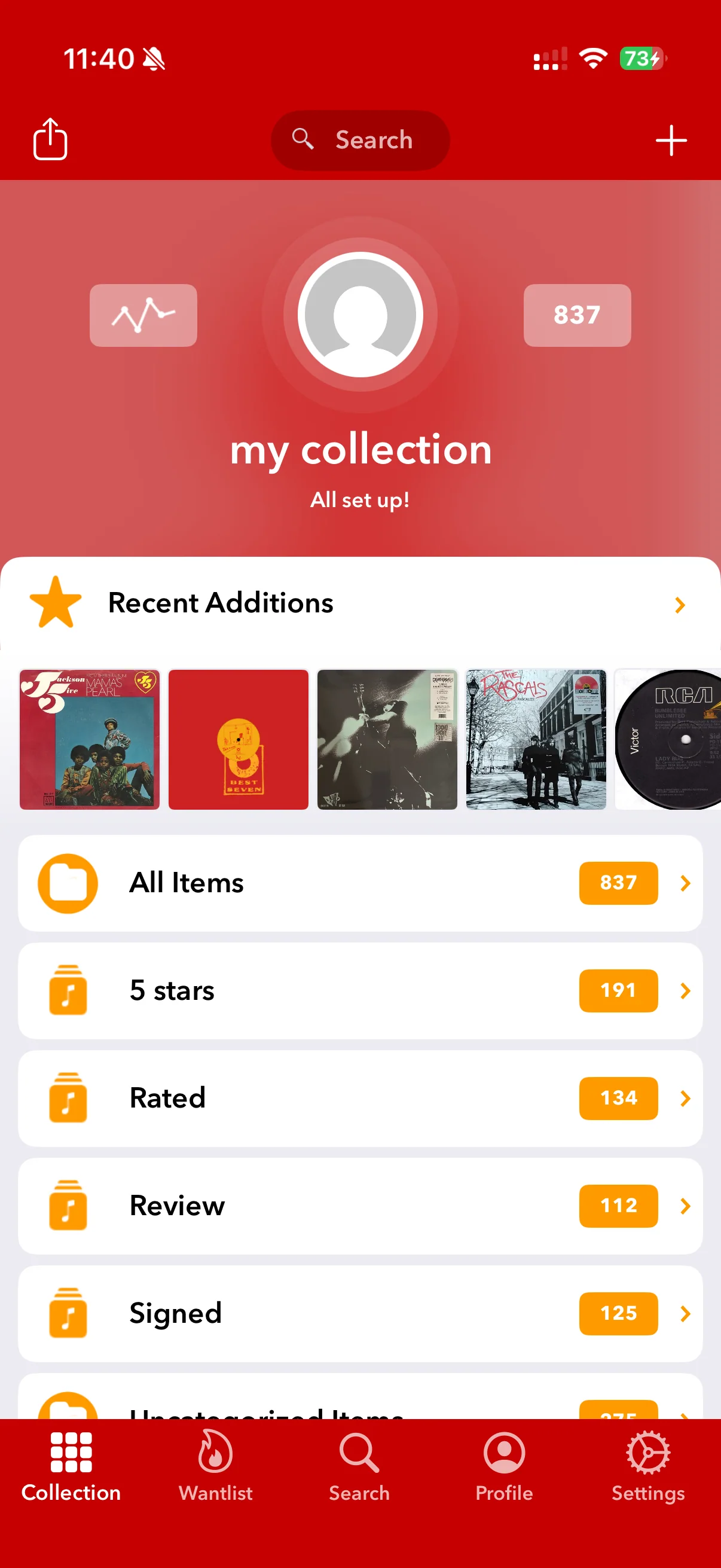
The setup did not go smoothly in our test: the app crashed and needed restarting. The collection download also stopped with an error before setup eventually completed. Once loaded, the collection opens with recent additions and folders, with tabs for the wantlist, search, profile and settings. *10
More ways to organise the shelf
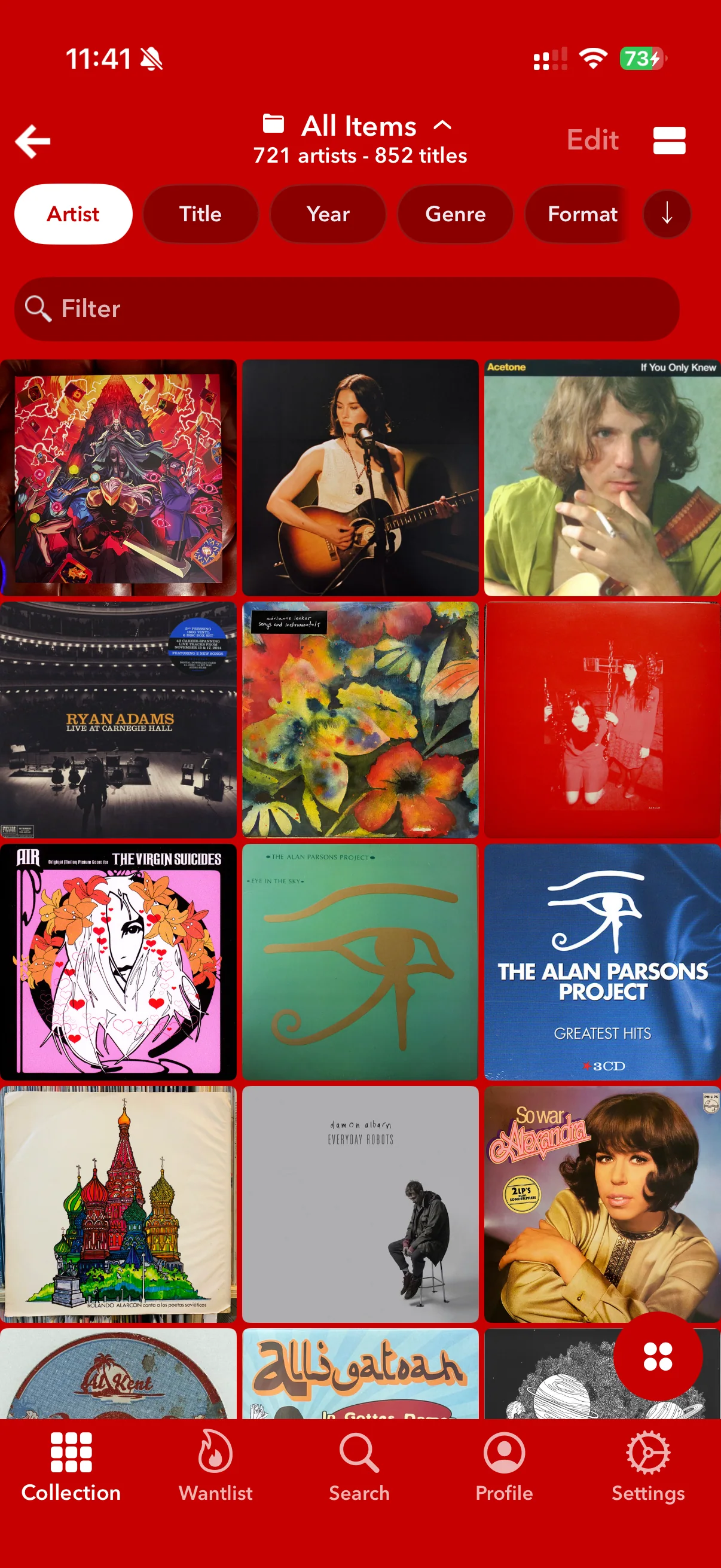
Collection and wantlist management sit at the centre of Discographic, with Discogs synchronisation keeping the app connected to the database. The developer lists folders, notes and ratings alongside searches for releases, artists and labels. These let you move between managing your own records and looking up the people and catalogues behind them. *1
Each tool has a different job. Folders give a collection some structure; notes hold information about your particular copy. Ratings let you record a preference. A wantlist keeps records you're considering buying separate from the ones you own. You don't have to turn every field into homework. Start with the information you already find yourself looking for.
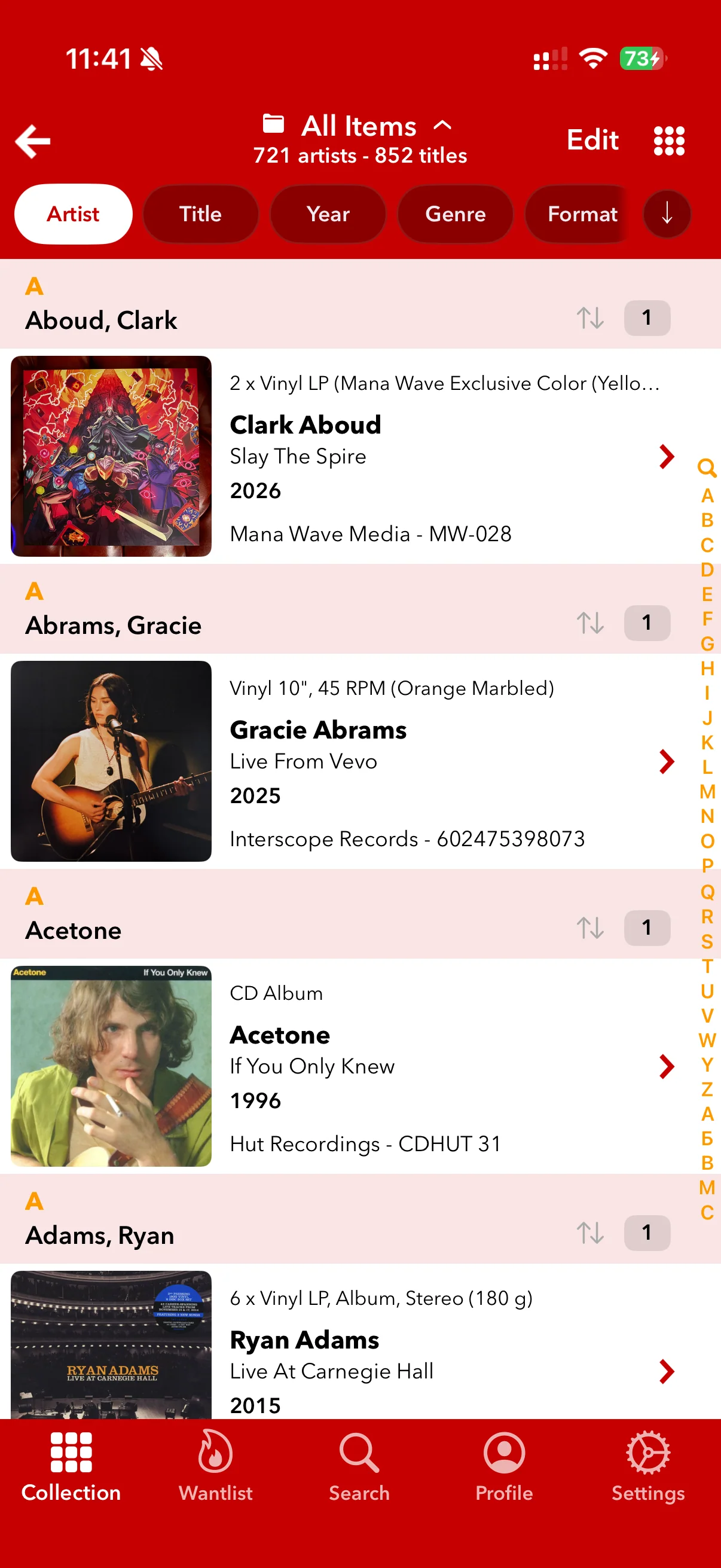
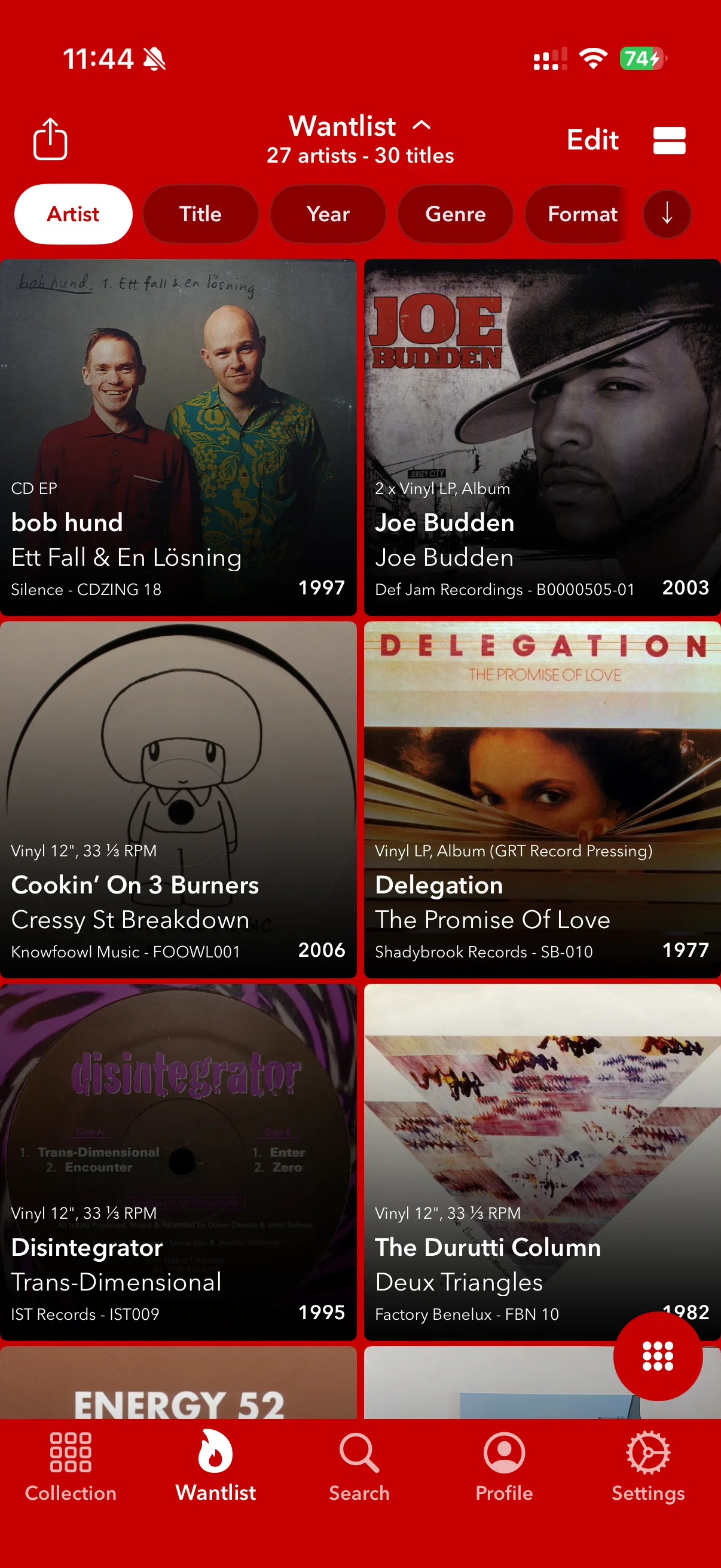
The collection switches between a cover grid and a detailed list. The grid is good for browsing by artwork; the list brings artist, title, year, format and label information into view. Sorting controls sit across the top, with a filter for narrowing the catalogue. The wantlist has its own tile view, so possible purchases stay separate from the records already on the shelf. *2
The distinction matters when choosing a collection app. If you only need a list of titles, much of this may be surplus. If you want to annotate, organise and revisit a growing collection, there is more here to work with.
Searching is useful; the discography needs care
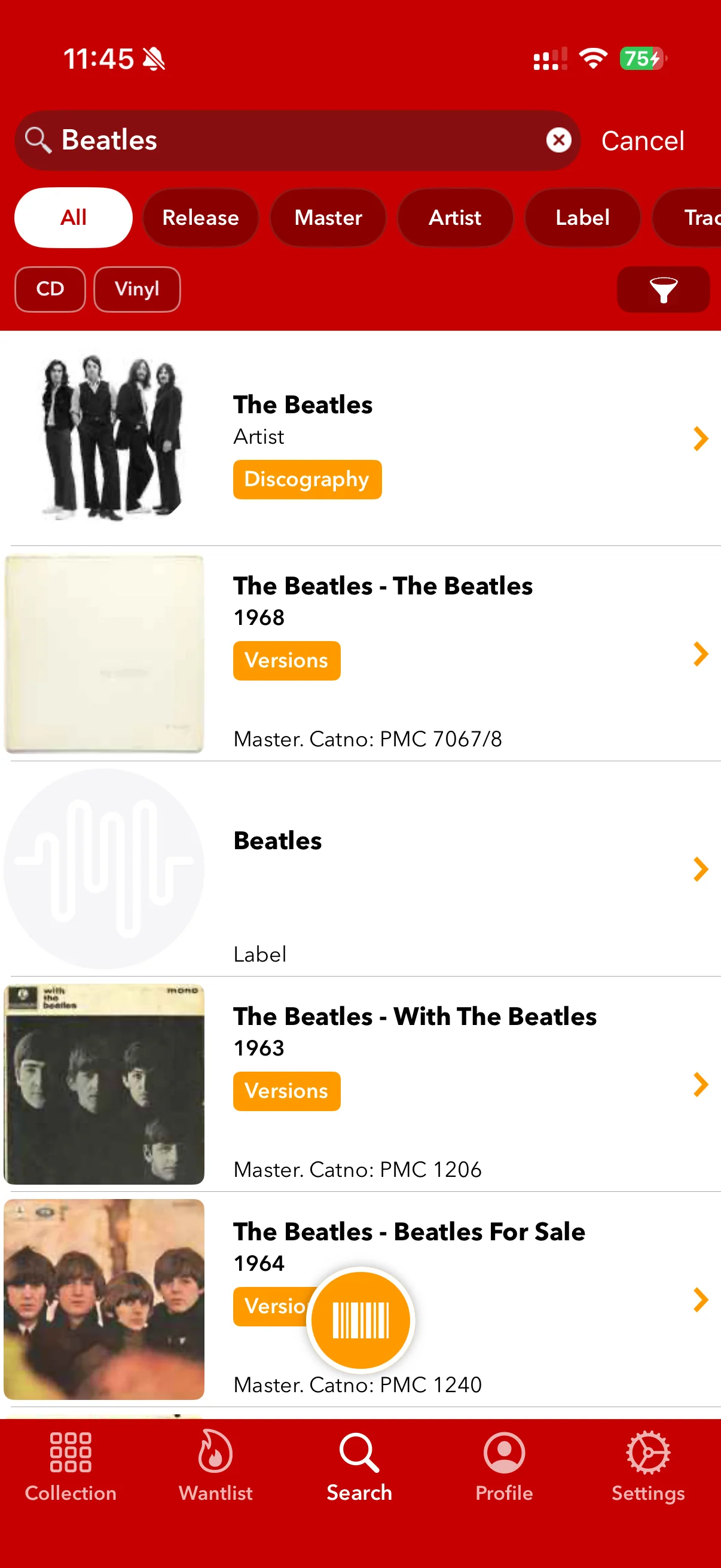
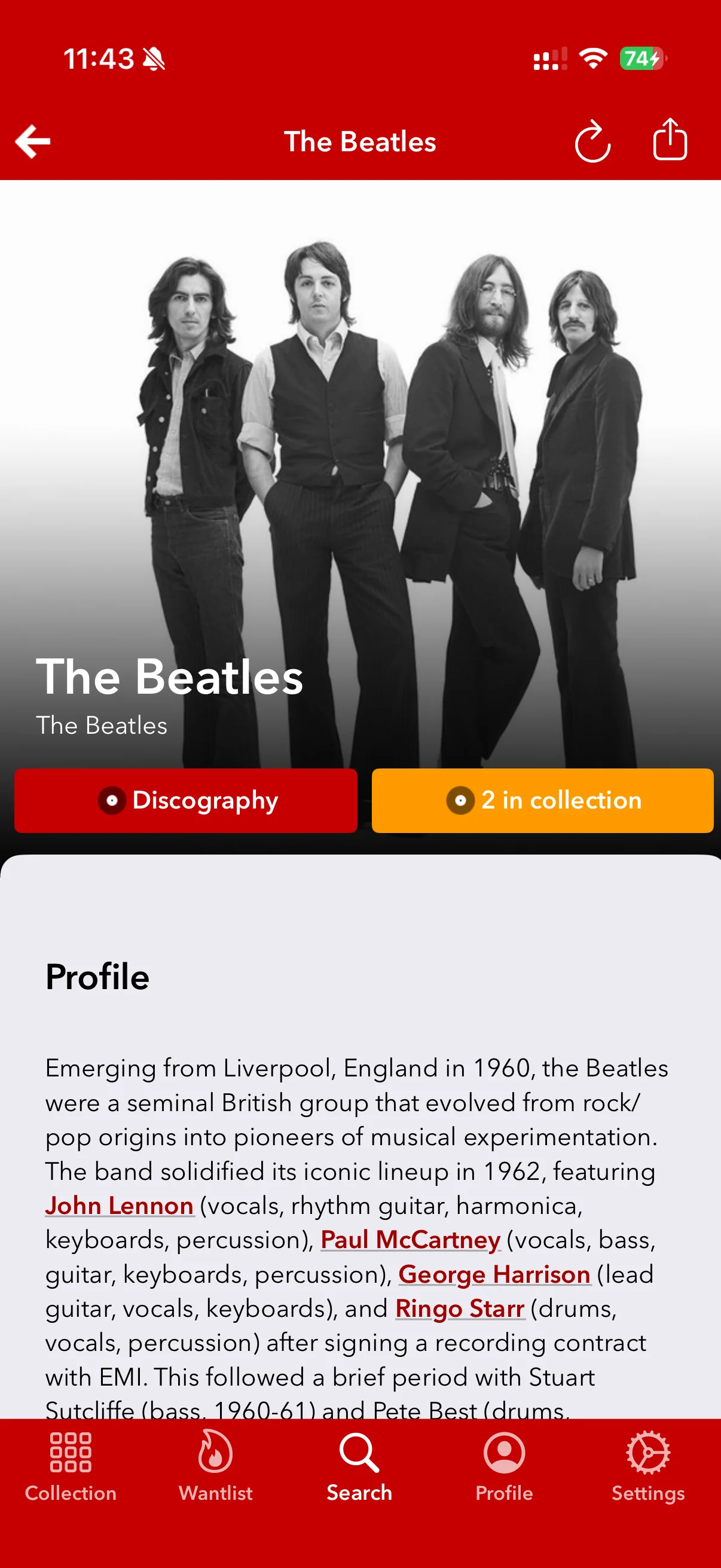
Search covers albums and artists, with separate release, master, artist and label filters. Artist pages bring in Discogs information and offer a route into the discography. That should make it easy to move from one record to the rest of an artist's work.
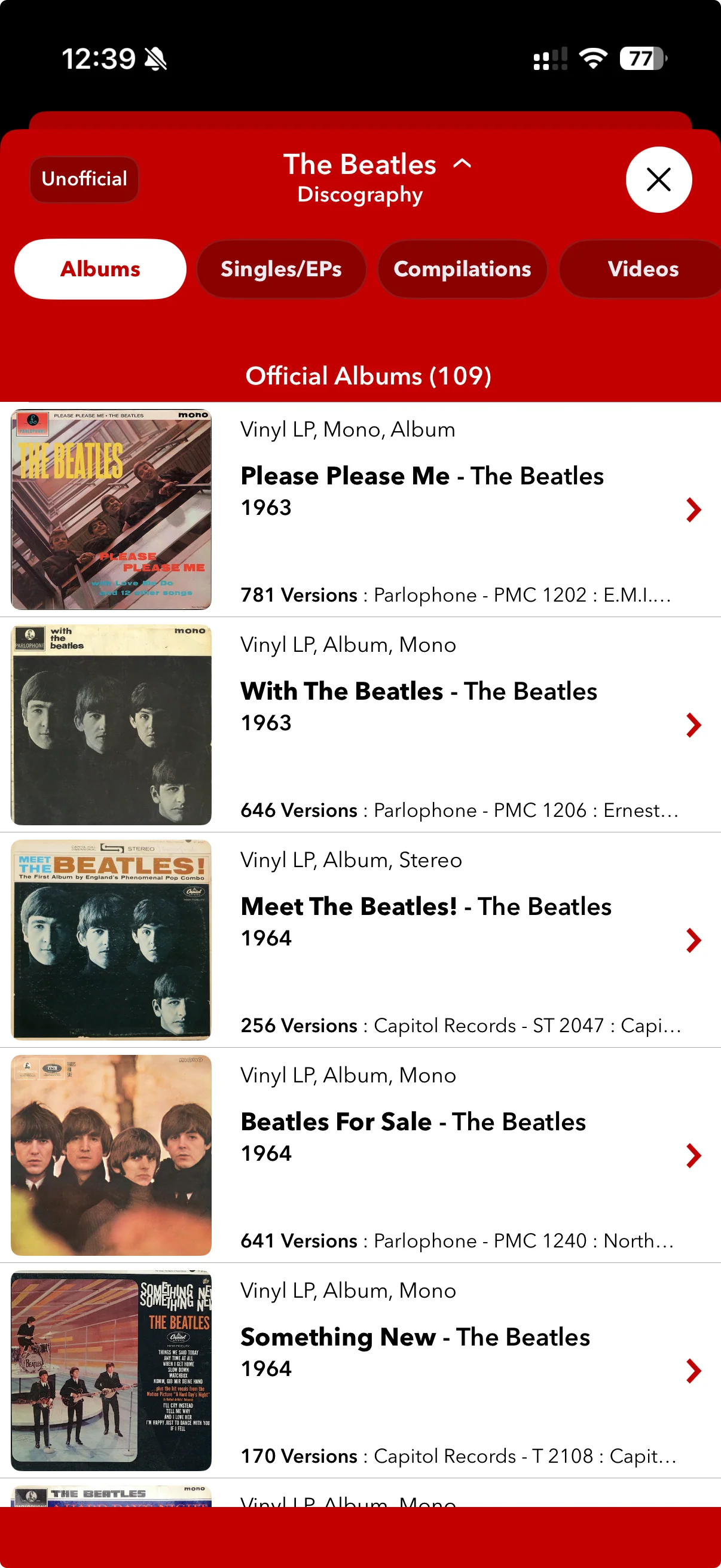
The discography view was harder to make sense of. On the Beatles page, the Albums tab lists “Official Albums (109)”. It brings together titles such as Please Please Me, Meet The Beatles! and Something New, with separate version counts beneath each entry. Looking for Pink Floyd studio albums also brought up singles and unofficial releases. Finding a straightforward album list took more sorting through than it should.
This is a broad album catalogue, not a concise studio-album discography. The 109 entries should not be read as 109 original studio albums. If you want a straightforward path through the band’s main albums, there is still some sorting to do.
Take the catalogue out of the house
Discographic caches collection, wantlist and inventory data for offline access. That gives the catalogue a practical use away from reliable reception: checking what you own or consulting a saved wantlist doesn't have to begin with a fresh connection. *3
Saved prices and seller listings still need refreshing before you buy. Your collection and notes are the more useful things to have available offline.
Excel-compatible exports include notes, giving you a copy of the catalogue to work with elsewhere. Check that the fields you use are included before committing a whole collection to them.
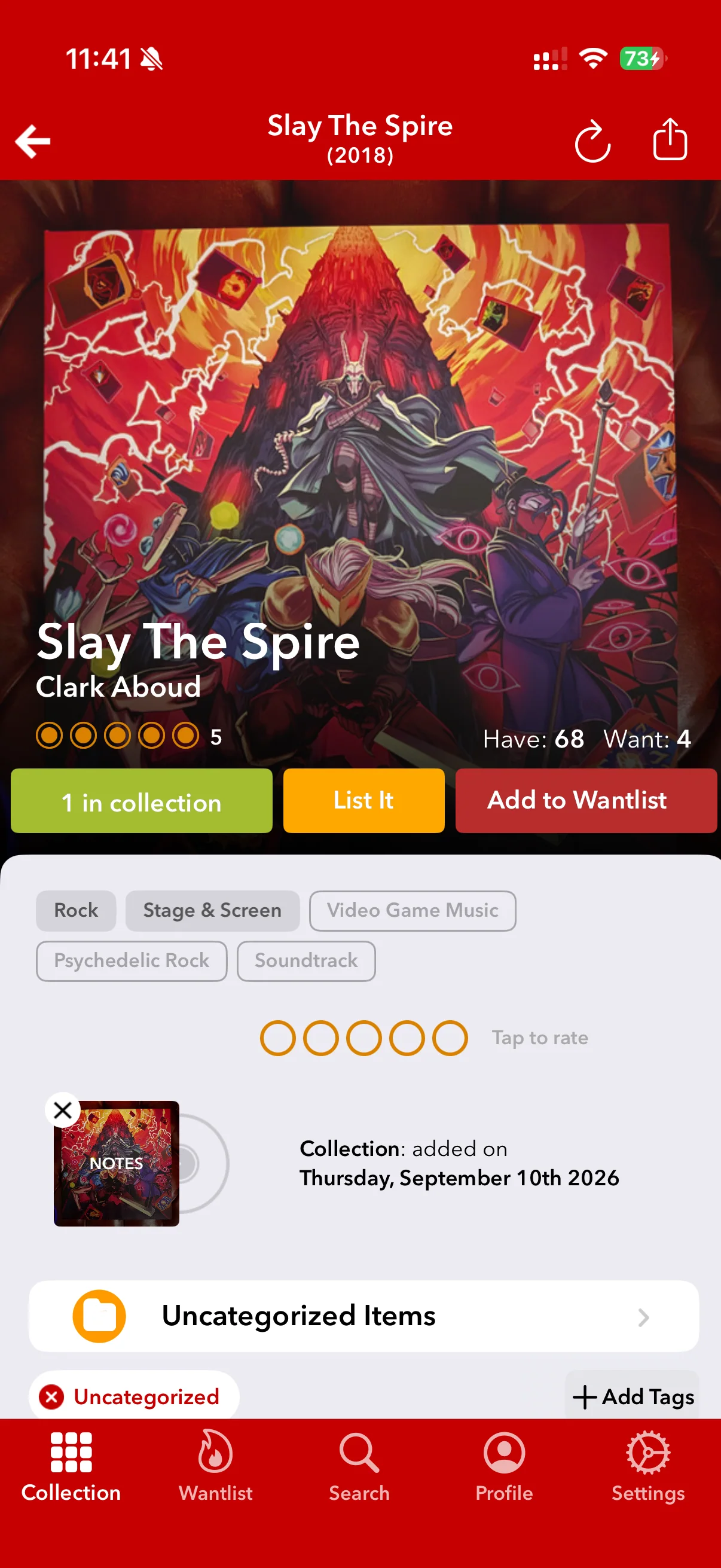
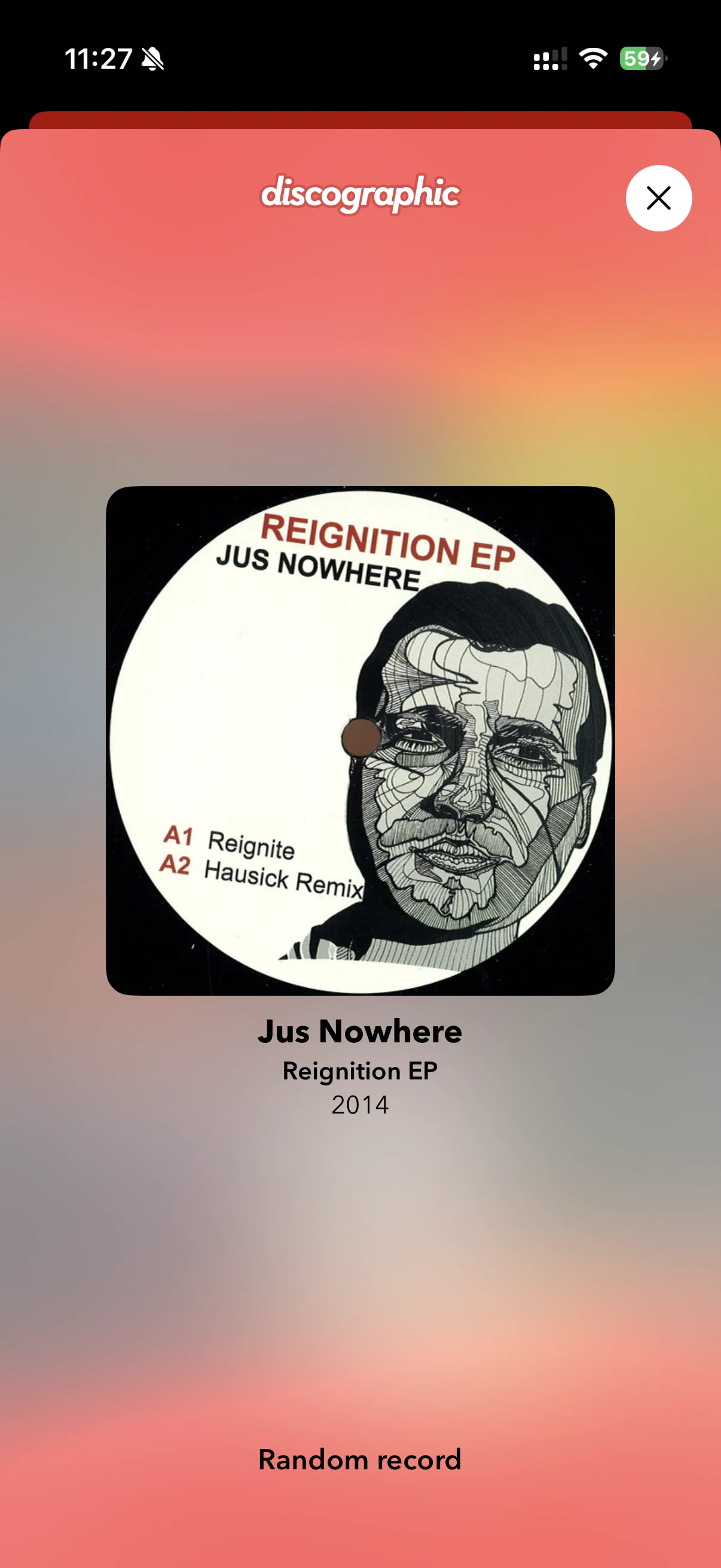
Shaking the phone brings up a random record from your collection, just as it does in the official Discogs app. Handy when you cannot decide what to put on.
The listening tools have changed
Last.fm scrobbling adds tracks or albums to your listening history. *4
Spotify needs a closer look. The App Store description still advertises support, but a later release removed the integration and switched existing Spotify selections to Apple Music. The developer attributes that change to Spotify's API access requirements. If Spotify is part of the setup you want, follow the release notes rather than the older feature list. *5
What you're paying for
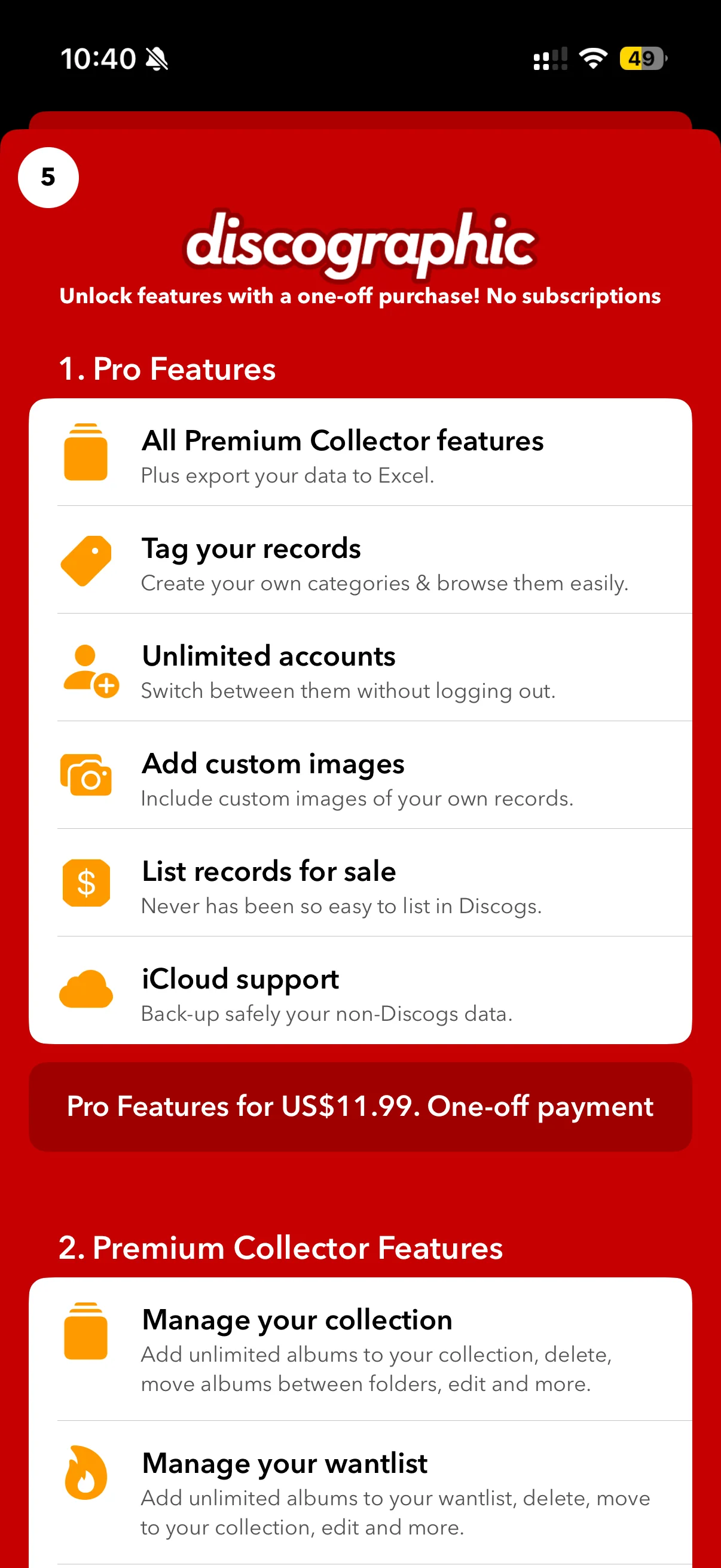
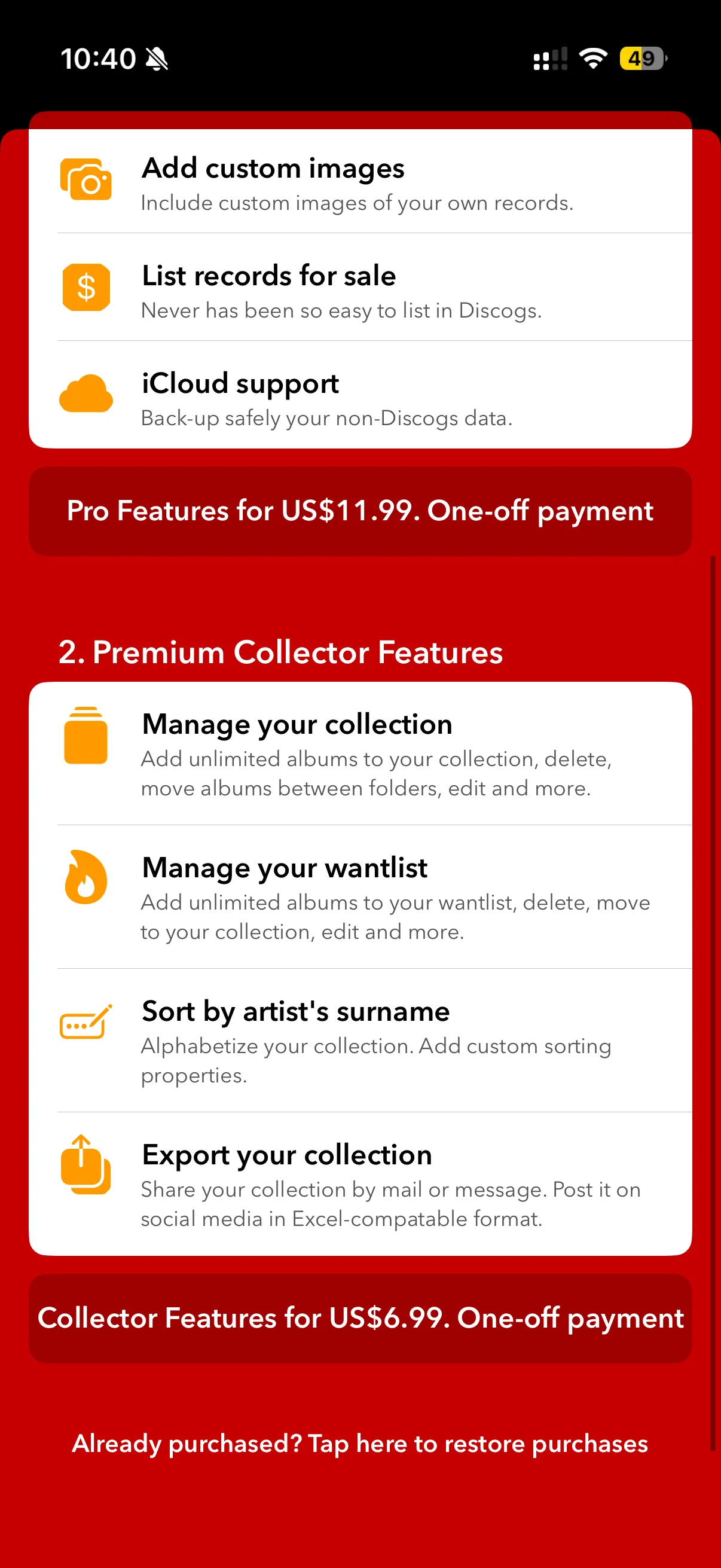
Discographic is free to download, with two one-off purchases shown in the app: Collector Features at $6.99 and Pro Features at $11.99. The purchase screen explicitly says there are no subscriptions.
Collector includes collection and wantlist management, surname and custom sorting, and collection sharing/export. Pro includes the Collector features, plus tags, multiple accounts, custom record images, selling tools and iCloud backup for non-Discogs data. The screen also lists Excel export under Pro, while describing Excel-compatible sharing under Collector, so those export descriptions overlap.
Collector covers the main catalogue work. Pro is worth considering for tags, multiple accounts and custom images. Both avoid a recurring subscription. *6
What customers add to the picture
App Store ratings are broadly favourable: 4.64 out of 5 from 896 ratings across the six storefronts below, weighted by rating count. This is an all-version snapshot of those stores, not a worldwide rating or a score for the latest release alone. *7
| Storefront | Average / 5 | Ratings |
|---|---|---|
| US | 4.67 | 433 |
| UK | 4.56 | 134 |
| Canada | 4.44 | 68 |
| Australia | 4.73 | 52 |
| Germany | 4.62 | 146 |
| Netherlands | 4.76 | 63 |
Older customer reviews praise the organisation but also describe upgrade prompts and repeated sign-ins. Later updates addressed authentication and wantlist issues. *8
Who will get the most from it?
Discographic makes the strongest case for collectors who want more control over how their Discogs collection is organised and a way to keep it useful offline or outside the app. Folders, notes and exports all serve that purpose. Its collection-value tools can also provide a starting point, though a headline estimate still needs the context of the exact release and its condition. Our Discogs value guide explains that part.
The collection views are the attraction here. Artist browsing needs more care, and the setup interruption was unwelcome. If your priority is keeping an existing Discogs library in order, the sorting options and one-off pricing give Discographic a reason to stay on the shortlist.
Our overall rating
A good fit if you want more ways to sort and view your Discogs collection, with Apple Music close at hand. Its appeal is a better-organised catalogue, rather than a different approach to collecting.
List and tile views, sorting and exports help with collection management. Artist-discography grouping is confusing. Available for iPhone and iPad; there is no Android edition.
The interface feels dated. A visual refresh would help, but the more useful question is whether its catalogue views suit the way you browse and organise records.
Offline storage and Pro’s iCloud backup for non-Discogs data are useful safeguards. Setup crashed and required a restart, and the collection download stopped with an error before completing.
One-time purchases are welcome if you prefer to avoid another subscription. Pro and Collector options let you choose a feature set; check what each includes before paying. *9
Sources and notes
- Explore the collection tools ↩
- Collection and wantlist screens from the supplied review session: IMG_2848, IMG_2849 and IMG_2856. ↩
- Offline and export features ↩
- Explore the collection tools ↩
- Spotify removal: version 4.10.11, released 10 August 2026 ↩
- Purchase screens supplied from the 10 September 2026 review session, IMG_2841.PNG and IMG_2842.PNG. Displayed USD prices are $11.99 Pro and $6.99 Collector. Pro advertises backup of non-Discogs data; backup operation was not tested. ↩
- App Store all-version ratings checked on 9 September 2026. The aggregate is weighted by rating count across these six storefronts: US, UK, Canada, Australia, Germany, Netherlands. ↩
- Historical customer reports: Read the review, 27 April 2025, version 4.9.9; UK review, 2 February 2026, version 4.9.16; Review, 28 March 2026, version 4.9.19. Later updates: Wantlist fixes: version 4.10.2, released 26 April 2026; Authentication fixes: version 4.10.8, July 2026. Selected reviews do not establish complaint prevalence or the persistence of an earlier fault. ↩
- The supplied in-app purchase screen explicitly describes one-off payments and no subscriptions. Purchase screen. ↩
- Hands-on observations and 14 original screenshots supplied by the editor on 10 September 2026. Crash and restart are the tester’s account; IMG_2846 shows a download error and IMG_2847 shows setup complete. The replacement Beatles screenshot shows Official Albums (109); the Pink Floyd observation is from the tester’s notes, with no matching screenshot supplied. Device model and app build were not recorded. ↩