How to check turntable speed with your phone
A turntable speed app measures how quickly the platter rotates and how much that speed varies. Before adjusting anything, establish what the app measures, how it calculates the result and whether the reading repeats.
Phone-based RPM tools use a gyroscope, a sensor that measures rotation. Put the phone on the platter and it rotates with it. The app converts that motion into revolutions per minute. That makes a quick speed check possible without playing a test record, but the reading still depends on the phone and its calibration.
Two names to get right
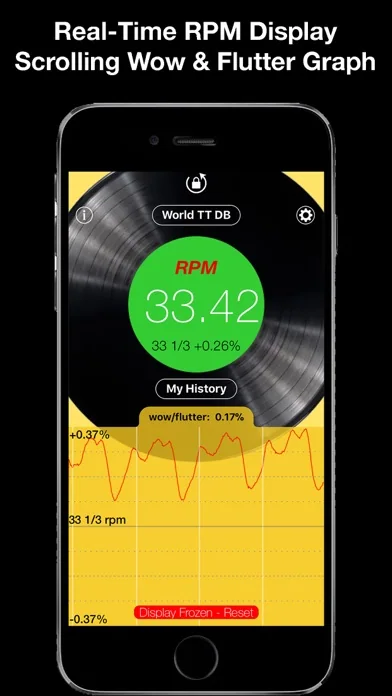
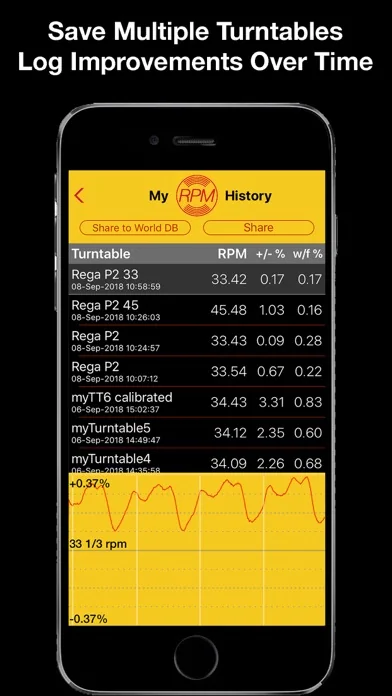
On iPhone, RPM - Turntable Speed Accuracy is Philip Broder's app. It displays rotation speed and a graph of its variation, with session history and calibration options. Its listing covers 33⅓, 45 and 78 RPM, along with 16⅔ in the release notes. The free download has an upgrade that includes unlimited measurements and all speeds, so check the available mode before planning a session. RPM on the App Store.
On Android, RPM Speed & Wow is Andrea Martignano's app. It requires a gyroscope and reports average speed, minimum and maximum RPM, plus a wow estimate. Its measurement routine allows ten seconds for the platter to settle, then collects ten seconds of data. The August 2026 update added saved measurements. These are separate apps from different developers, with their own controls. RPM Speed & Wow on Google Play.
Average speed and wandering speed
Average RPM is the platter's mean rotation speed over the measurement period. The target for an LP marked 33⅓ is 33.333… RPM. At 45, it is 45 RPM. Always use the speed printed on the record; its diameter alone does not settle that question.
Here is a hypothetical reading: 33.50 RPM at the 33⅓ setting is about 0.5% fast. The calculation is (measured speed ÷ target speed − 1) × 100. A positive result means fast; a negative result means slow. Constant speed error changes playback pitch and timing.
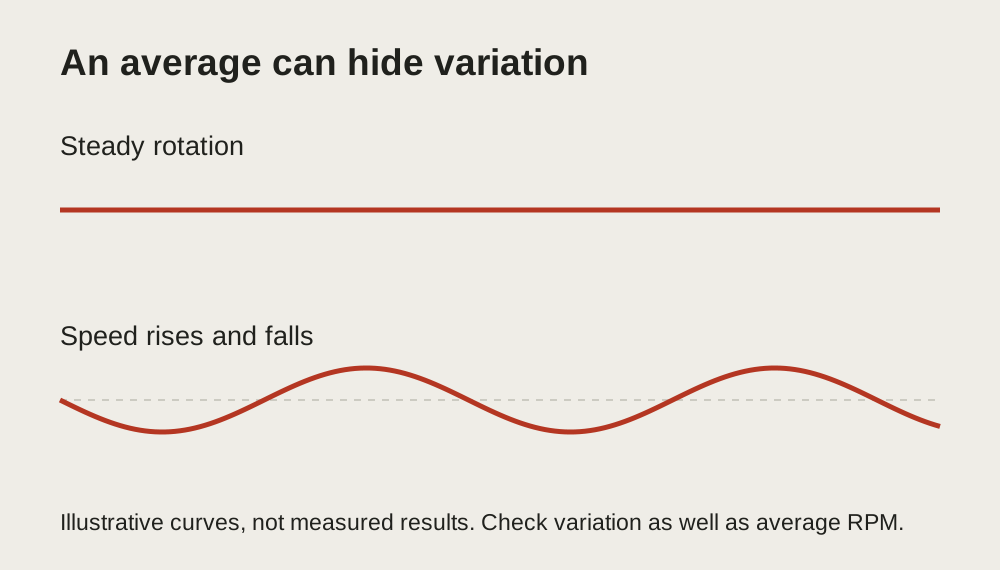
Speed variation needs a separate reading. A platter can average close to the target while speeding up and slowing down within the same measurement. Wow describes slower fluctuations; flutter describes faster ones. An average can conceal movement that a graph makes obvious.
Pay attention to how a percentage is calculated. Broder's app describes its wow/flutter figure as the maximum percentage departure from average RPM. A manufacturer may publish a weighted measurement instead: Audio-Technica's AT-LP120XUSB specification, for example, gives wow and flutter as WRMS at a stated test frequency. A maximum-deviation percentage and a weighted RMS percentage are different quantities, so comparing the bare numbers will not establish whether your deck meets its specification. RPM's measurement description, Audio-Technica user manual.
Make the measurement repeatable
Start with the turntable stopped. Park the tonearm securely and keep the stylus clear. Give the phone a stable, flat position near the centre, following the app's placement instructions. It should not rock on the spindle or overhang the platter. If you cannot position it securely, use another measurement method.
Run the chosen routine without touching the phone while it collects data. Stop the platter before retrieving it, then repeat using the same position and settings. Record the selected speed, average result and variation figure. A second run is more useful than an instant decision based on the first display.
Android's RPM Speed & Wow also documents an offset correction: a measurement with the phone flat and stationary sets an offset for that session. Closing and reopening the app clears it. Make the stationary correction before measuring the rotating platter. Developer instructions.
Check the reference before adjusting the deck
Rega reports checking the basic accuracy of Broder's iPhone app against its own measuring equipment. Its manual also explains that phone age, condition and operating system can affect confidence in readings, and advises checking calibration against a suitable reference when in doubt. That is a useful distinction: a supported measuring method still needs a dependable reference. Rega Planar 3 RS manual.
A strobe provides a different check. It illuminates markings at a known frequency; the correct ring appears stationary at the matching speed. Choose the ring and light specified by the strobe's manufacturer. Pro-Ject's instructions explicitly distinguish suitable lighting from daylight and unsuitable lamp types. A phone gyroscope reading is not a strobe measurement, even when both tools help with speed adjustment. Pro-Ject Strobe it instructions.
If repeated readings and a suitable reference agree that speed is wrong, follow your turntable's adjustment instructions. Some models allow user adjustment; others need servicing. Lenco makes that distinction in its own speed-check guidance. Do not assume an unexplained screw underneath the deck is a calibration control. Lenco speed-check support.
Keep the original readings and change one setting at a time. Compare the new measurement with the original before making another adjustment. Stop when the result is repeatable and agrees with the reference.